
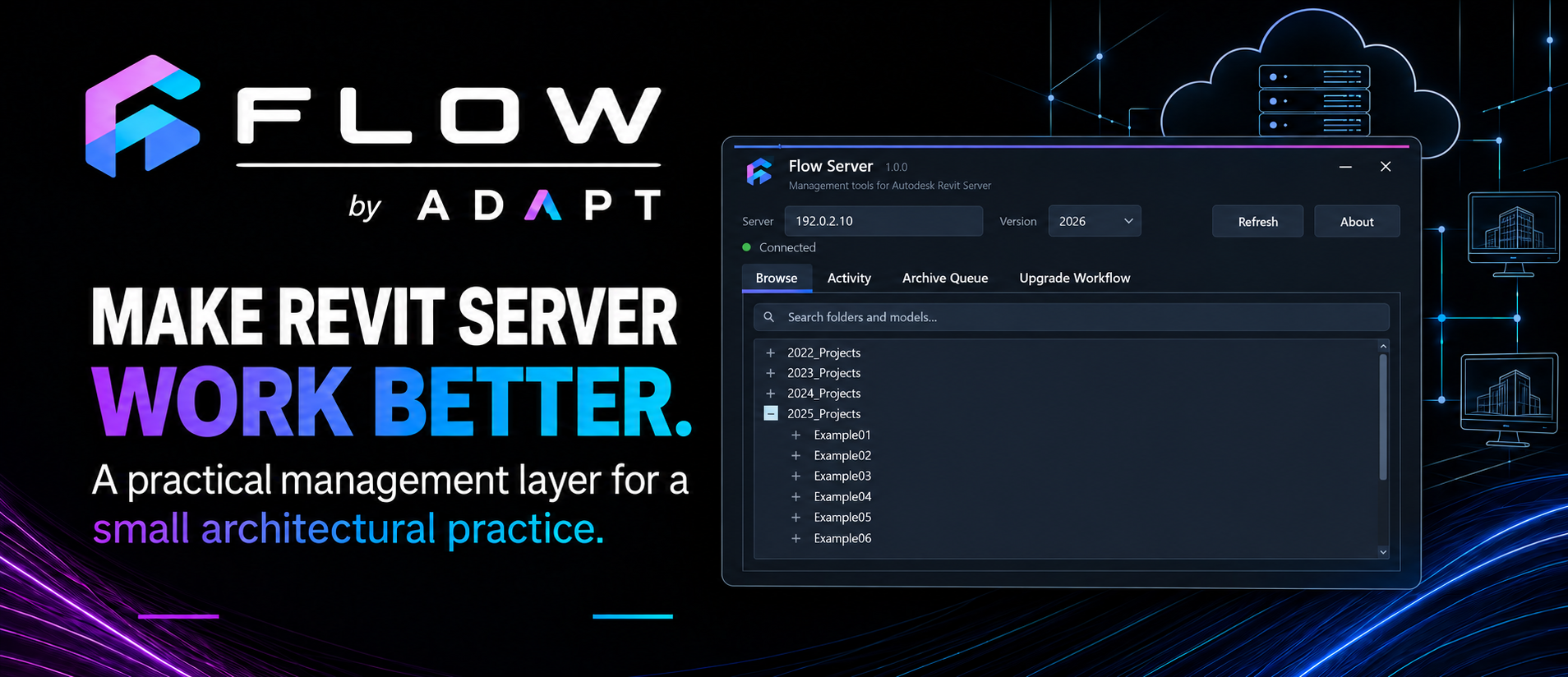
For a small architectural practice, digital collaboration needs to be reliable, but it also needs to be proportionate. We need our team to work on shared Revit models from different locations, maintain several versions of Revit and preserve completed projects properly. What we do not necessarily need is every feature contained within a much larger enterprise collaboration platform.
For several years, Revit Server has provided the foundation for that part of our workflow.
Our Revit Server environment is hosted on a dedicated cloud server managed with our external IT provider. Rather than relying on a physical server sitting in our office, the team can securely access central models over an internet connection from different locations. The server currently supports the Revit versions we use in practice, while the underlying hosting and infrastructure are managed separately from our day-to-day architectural work.
It is a relatively straightforward arrangement and, for our practice, an effective one. However, although Revit Server handles model hosting, it offers little assistance with many of the administrative tasks that sit around it.
That is where the idea for Flow Server began.
Revit Server gives us the infrastructure. Flow Server is being developed to make that infrastructure easier to understand, administer and maintain.
A useful foundation with a limited management layer
Revit Server does its core job well. It provides a central environment for workshared Revit models and allows our team to collaborate without depending on the office network.
The difficulty appears when we need to manage the wider life of a project.
Projects need to be created and organised. Different Revit Server versions need to be understood. Completed work must be archived. Older projects occasionally need to be reopened, and active projects eventually need to move from one Revit release to another. Where a project contains several linked models, those operations need to treat them as a coordinated group rather than as unrelated files.
Revit Server gives us the infrastructure, but not a particularly approachable way to manage all of these surrounding processes. The available administration tools are functional, yet much of the practice knowledge still sits outside them: which server to use, where a project belongs, how an archive should be prepared, which Revit version must perform an operation and what to do when part of a process fails.
For a small team, this creates an interesting problem. The individual tasks are manageable, but they rely on people remembering the correct sequence and understanding the consequences of each decision. That is exactly the kind of situation where a carefully designed practice tool can help.
Developing Flow Server
Flow Server is being developed as a desktop management layer around our existing Revit Server environment. It is not intended to replace Revit Server or reproduce the model-hosting technology behind it. Its purpose is to make the infrastructure we already use easier to understand, administer and maintain.
The initial work has focused on bringing the server structure into a clearer interface: connecting to our available Revit Server versions, browsing folders and projects, and making common administrative operations easier to reach.
From there, development has moved into more consequential workflows, particularly archiving and upgrading projects.
These are good examples of processes that appear simple from the outside. An instruction such as “archive this project” sounds like a file-copying exercise. In practice, a dependable archive needs to answer several questions.
Which version of Revit should open the model? Does the project include linked Revit models? Where should the archive be saved? Did every model complete successfully? How should a failed model be reported? And once the archive exists, how do we stop someone mistaking it for the live project and beginning new work in the wrong place?
The more we developed the workflow, the clearer it became that the value was not in automating a single button press. The value was in coordinating the complete process and making its outcome visible.
Good automation should not only make a process faster. It should make the process clearer and its outcome easier to trust.
Making automation accountable
It is tempting to judge automation only by how much time it saves. Speed matters, but it is not enough when the process affects important project information.
A useful tool should make clear what it is about to do, preserve the original data, report what succeeded and identify what requires attention. If its assumptions are wrong, it should stop safely rather than continue simply because the process has been automated.
That principle is shaping Flow Server.
For example, the archive workflow is being designed to use the appropriate installed Revit application rather than treating a Revit model as an ordinary file. Results are returned to the main application so that successful and failed operations can be distinguished. Archived files can then be protected against casual editing, while still remaining available when they are genuinely needed in the future.
The intention is not to restrict users unnecessarily. An archive should remain usable, but its status should be unambiguous. If someone later needs to revive an archived project, they would normally save it into a new working location rather than quietly convert the historical copy back into a live model.
This balance matters in a small practice. Excessive controls can become frustrating and encourage people to work around the system. Too little structure leaves important outcomes dependent on memory. The aim is to provide enough protection and guidance to make the correct workflow the easiest one to follow.
From archiving to coordinated upgrades
Archiving also provides the foundation for one of the more ambitious parts of the project: coordinated Revit Server upgrades.
Upgrading a standalone model can be relatively straightforward. Upgrading a live server project containing linked models is more involved. The models need to be archived together, opened in the correct newer Revit version, checked, and returned to an appropriate Revit Server environment without losing the historical state of the original project.
Our developing approach is archive-first. Before an active project is upgraded, the existing server models are preserved locally as a coordinated set. The upgrade then works from those verified archives, rather than putting the original live project at unnecessary risk. Once the upgraded models have been prepared successfully, they can be returned to the newer server environment while the previous version remains clearly retained as project history.
There is still work to do, particularly around the many exceptions that real projects accumulate over time. Linked files can point to unexpected locations. Older projects do not always follow current standards. A workflow that succeeds on a clean test model must also respond sensibly when it encounters imperfect information.
That is why this is being developed and tested as a practice system rather than presented as a finished one-click solution.
Building around the way a practice actually works
Flow began as a collection of tools for improving everyday Revit workflows. Flow Server extends the same thinking beyond individual Revit commands and into the infrastructure surrounding our projects.
Over time, there is an opportunity to connect these areas more closely. A project created through Flow Project Setup could eventually use the same project information to establish its server location, prepare the required folder structure and record where its models belong. At the other end of the project lifecycle, Flow Server could help move that project through archiving, upgrade and long-term storage with a clearer history of what happened.
There are also possibilities around model activity, server visibility and practice-level reporting. Those ideas will need to be approached carefully. The purpose should be to help people coordinate work and maintain project information, not to create intrusive monitoring or unnecessary administration.
For now, the focus remains practical: making the Revit Server environment we already rely on easier and safer to operate.
A small-practice response to a real need
Large collaboration platforms provide capabilities that are essential for many projects and organisations. But architectural practices vary considerably in size, project type, contractual role and technical requirements. The most comprehensive platform is not automatically the most appropriate answer for every team.
Our cloud-hosted Revit Server gives us the central model access and flexibility we need. Flow Server is an attempt to improve the parts that are currently less resolved: administration, archiving, upgrading and the connection between project information and practice infrastructure.
It is still an evolving piece of software, and the development process is exposing as many questions as it answers. That is useful. Each exception reveals something about how our projects are really organised, how people use the system and where a seemingly simple process still depends on undocumented knowledge.
Making Revit Server work better for a small practice is therefore not just a matter of adding a more polished interface. It means turning that accumulated practice knowledge into workflows that are visible, repeatable and safe—while leaving room for professional judgement when a project does not fit the expected pattern.
That is the direction Flow Server is beginning to take.
Follow the Flow Server development series
Read the next article: What It Takes to Archive a Revit Project Safely →